Stop Using Chromium Browsers, They Don’t Love You
Chromium-based browsers enforce conservative ArrayBuffer limits that commonly cap out around ~2 GB in real-world builds.
Firefox allows significantly larger buffers on 64-bit systems, is more tolerant under memory pressure, and generally fails later and more gracefully.
Hard AI Slop

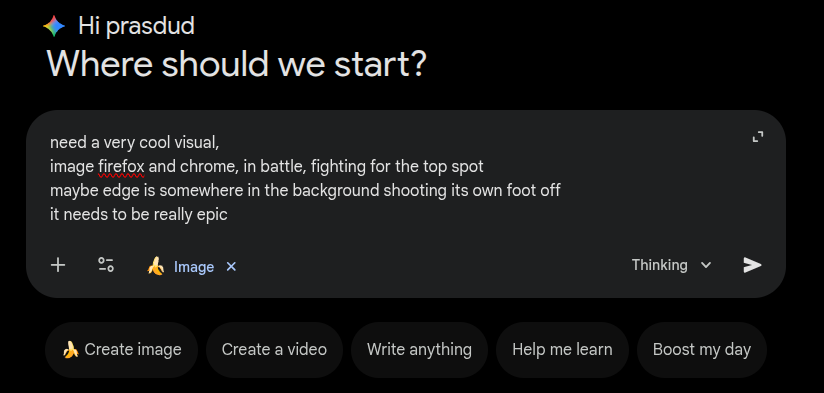
The Prompt
Intro to Browser Engines
You think there are many browsers: Chrome, Edge, Brave, Opera, Firefox, your grandmother’s newest AI browser.
False.
In practice, there are only three browser engine stacks that matter for the web today:
- Chromium (Blink + V8)
- Firefox (Gecko + SpiderMonkey)
- Safari (WebKit + JavaScriptCore)
Every browser has two major pieces:
-
Rendering engine
Builds the DOM, applies CSS, paints pixels. -
JavaScript engine
Executes JavaScript. This is the part that matters here.
JavaScript engines by browser family:
- Chromium → V8
- Firefox → SpiderMonkey
- Safari → JavaScriptCore
Firefox has always gone its own way.
Apple forked KDE’s KHTML/KJS to create WebKit.
Google originally used WebKit for Chrome’s rendering, later forking it into Blink, while building V8 independently from scratch as its JavaScript engine.
What I Found
Chrome / V8 Implementation
- Conservative size limits: Commonly hits a ~2 GB ceiling in mainstream builds
(varies by platform, pointer compression, sandboxing, and configuration) - Complex architecture: Backing stores, extension objects, and indirection layers
- Higher per-buffer overhead: Substantially larger metadata footprint per
ArrayBuffer - Heavy bookkeeping: Atomic accounting and safety checks on allocation paths
- Layered design: Pointer compression, sandboxing, multiple abstraction layers
- Class-heavy internals: Deep object hierarchies and generated classes
Chrome treats every allocation as potentially hostile.
Firefox / SpiderMonkey Implementation
- Larger practical limits on 64-bit systems: Not hard-capped at ~2 GB in the same way
(still bounded by address space and internal safety checks) - Simpler allocation paths: Fewer layers between JS and memory
- Lower per-buffer overhead: Order-of-magnitude smaller metadata footprint
- Direct memory handling: Less indirection, better cache locality
- External / zero-copy support: Via JSAPI for embedders (not a blanket web feature)
- Failure behavior: Tends to survive closer to real OOM conditions before bailing
Firefox treats large allocations primarily as a performance and resource problem, not an exploit by default.
Why This Happens
This comes down to engineering philosophy.
Chrome prioritizes isolation, predictability, and worst-case safety.
Firefox prioritizes throughput, flexibility, and architectural simplicity.
Neither approach is wrong — but the trade-offs are very real and very visible when you push memory hard.
Engineering Philosophy Differences
| Aspect | Chrome / V8 | Firefox / SpiderMonkey |
|---|---|---|
| Primary bias | Safety, isolation | Performance, flexibility |
| Memory model | Heavily tracked, defensive | More direct, fewer layers |
| Limits | Conservative, explicit | Looser, system-constrained |
| Internal style | Layered, class-heavy | Flatter, more C-like |
| Failure mode | Early, predictable | Later, closer to real OOM |
Chrome assumes hostile code everywhere.
Firefox assumes pressure is something to manage, not immediately forbid.
Performance Impact (Typical Behavior)
| Area | Chrome | Firefox |
|---|---|---|
ArrayBuffer metadata |
Higher (varies by build) | Lower (varies by build) |
| Allocation path | Slower, more bookkeeping | Faster, fewer checks |
| Cache locality | Worse (more indirection) | Better |
| GC interaction | Conservative, defensive | More permissive under load |
| Very large buffers | Early failure | Later failure, more tolerance |
These are tendencies, not constants — but they show up reliably in memory-heavy workloads.
Chrome’s Direction Doesn’t Help
Independent of engine internals, Chrome’s ecosystem choices matter.
Google has repeatedly moved in ways that are hostile to content blocking and power-user tooling, including breaking or weakening long-standing extension capabilities.
Yes, there are workarounds.
Yes, some browsers patch around it.
At some point, switching is simpler.
What are you really losing?
- DevTools? Chromium-based browsers still exist.
- UI? Subjective.
- Extensions? Firefox supports most of what actually matters.
Firefox the GOAT (for this class of problems)
Firefox is more tolerant under memory pressure, more transparent in its internals, and less eager to fail early “for your own good.”
It respects the system.
It respects developers.
It doesn’t assume you’re an exploit unless proven otherwise.